
Wednesday
We couldn’t begin first thing in the morning because we had the NAEP test to do – one last obstacle to get over before we could try our grand experiment. The plan was to wait until after lunch and then connect-up (Skype-up?) for the first time. Fortunately, I had Celest ring us up as soon as the class went to lunch – this turned out to be one smart move because when we clicked on our video buttons our image came up right away but the image from her end was black. I tried the few things I could think of, all the time repeating to myself, – but it worked flawlessly twice last night!!!?
I had 25 minutes before eager students would return from lunch, so after checking out with administration I zipped over to her house. The problem? There were at least ten applications open. Windows – their only experience was with Windows – and I hadn’t had a chance to brief them about everything the night before. They closed applications by clicking the windows closed not realizing that that did not close the application on a Mac. I restarted the computer and made the return trip.
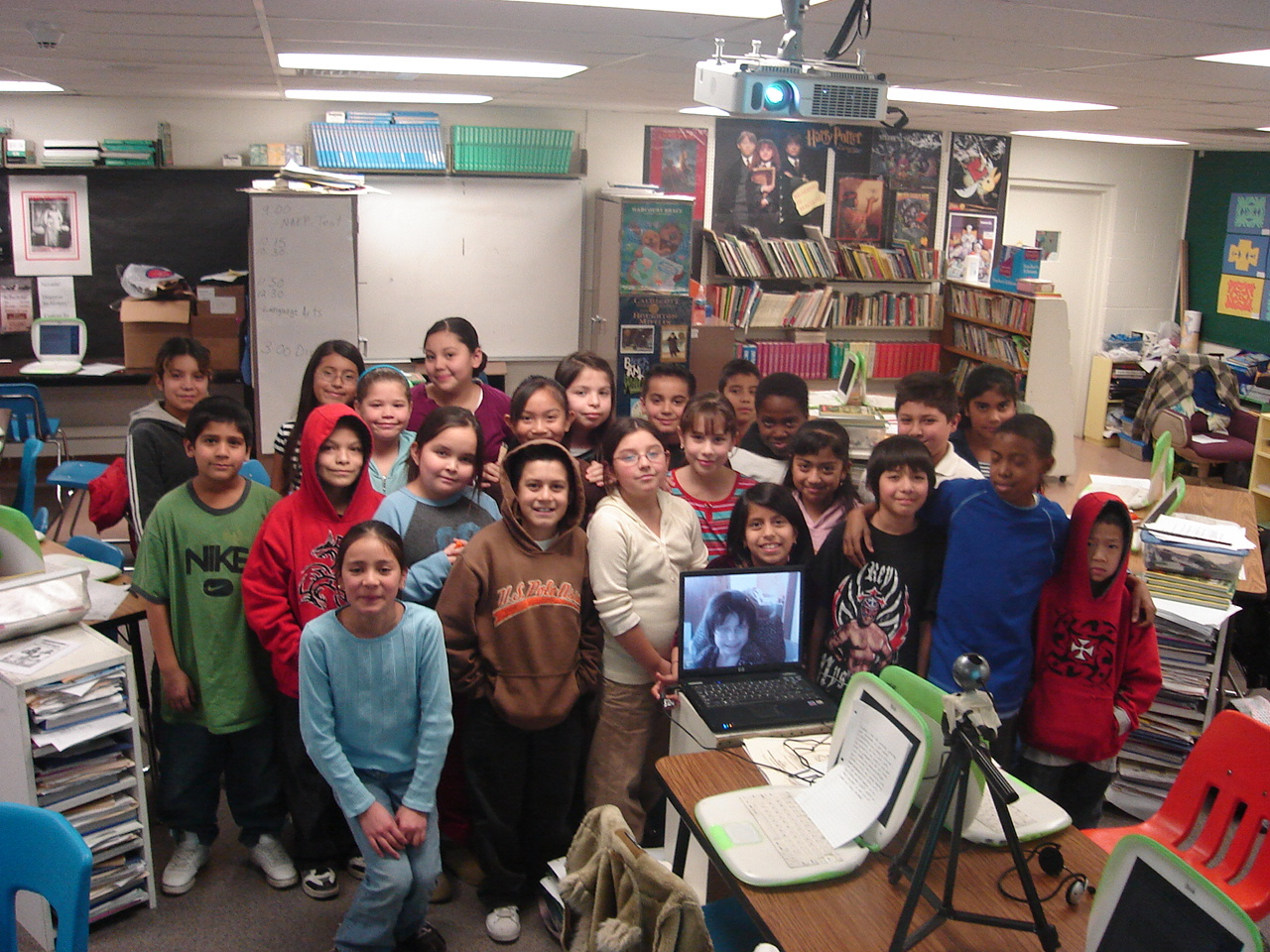
At 12:30 video cameras were revved up to catch the event from 2 angles. Students tried hard to settle, but most were on their knees in their chairs hardly able to contain themselves. To begin I projected the image onto our Whiteboard. A ring sounded, I clicked the green phone icon and then the video button and in a matter of seconds Celest, who had shown up on my daily attendance since October, entered our classroom for the first time.
Hellos and waves were exchanged all around – I pivoted the web cam around to each table in the room so all could be introduced. Faces beamed. Now what?
I disconnected the laptop from the Activboard and moved it and the web cam I had taped to the top of a tripod to the front table – the students there gladly made room for their new classmate. I pointed the web cam at the board and had paper distributed all around (including Celest) – Yes I know – why are we using paper when we have laptops and Celest obviously has a computer to work on? Composing on a computer takes some getting used to, we will get there, but we’re not there yet.
I connected my Mac to the ActivBoard and started a pre-write brainstorm about our experience. I adjusted the camera angle once so Celest could see clearly and she followed along with the session easily. After the brainstorm we all wrote a rough draft and then word processed them on our computers. At one point Celest got my attention and wondered if it was OK if she went to the bathroom – how cool is that, she felt like she was at school! I reluctantly allowed her to go (couldn’t she have done that during lunch? : ) Our school counselor, Ann Marlow, who made most of the calls that made this happen – including making the connection that got us the new iMac, walked through and said her hellos and noted the writing everyone was doing – she was both relieved and thrilled this was finally happening.
When Celest let me know she was done typing I talked her through spell checking and some other editing pieces, and then led her through emailing her file to me at school. This became her first post on our blog.
About then it was time for us to go to the library, so we said goodbye to Celest since library would take us to the end of the day. And, after many goodbyes of course, our first Video Skype experience was over.
Thursday, Celest attended for a bit more than an hour – she practiced her multiplication facts online with the rest of us and did some reading before she went off for chemo. She paid us a quick visit on her way home just before dismissal – mask on, no wig – she couldn’t make it today – we understand why. Monday will be a fresh day – except that we have ITBS testing all morning – all week, so it will be afternoons only.
We storyboarded our video about our experience today using the Flipchart software in ActivStudio, we will try to finish shooting it and editing it next week with Celest’s help – if so I will post the video for all to see. The students came up with some great ideas.
Learning is messy!
WOW, Brian! I feel like I’m watching history in the making. You and all those who made this event possible deserve HUGE kudos. Keep the story coming….it’s fascinating!
Wonderful, wonderful stuff… thanks for sharing! And yes, I’d say you’re making a HUGE difference in her life and in all your students’ lives through this experiment!
(And we’ve got a student coming to SLA who has health issues and will be in and out of the hospital. One of the reasons he chose us was so that we could use iChat so he could at least listen in and comment on lessons when he’s in the hospital.)
Hi
I am a tech trainer in MI and AZ. I help teachers use technology in the classroom. I can’t believe what you are doing with your blog and with the webcam. I use it all the time with my family and haven’t done it with teachers yet. You have encouraged me to do it though. I have sent your blog address to many teachers that I work with. Thank you for sharing by your great example.
Carlene